
 FreakySEO
 Most sites do not have a redirect problem because someone made a bad decision. They have one because nobody made any decision at all. Redirects pile up over years. People leave the company. Plugins get swapped. And one day a Screaming Frog crawl spits out 400 chains and a loop on the pricing page nobody noticed for six months.
If that sounds familiar, this piece is for you.
A redirect chain is what happens when getting from URL A to the final page takes more than one stop. One URL redirects to another URL, which then points somewhere else again, and the request keeps bouncing until it lands on the destination. A goes to B, B goes to C, C goes to D.
The user eventually reaches D, but the browser had to make four requests instead of one.
Each extra hop costs you something.
On a fast desktop connection, it might be 50 milliseconds per hop. On a flaky 4G connection in a tier two city, it can easily be 300 to 500 milliseconds per hop.
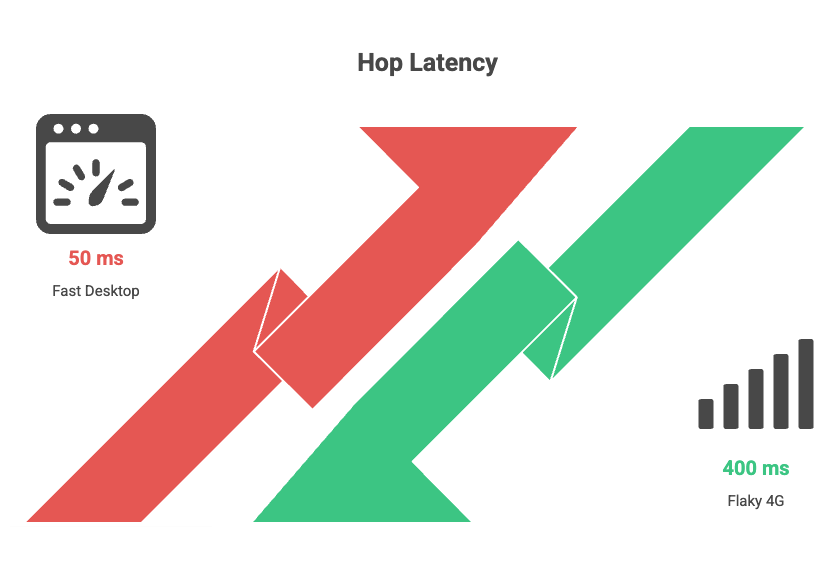
Stack three or four hops, and you have added a full second to your load time before the page has even started rendering.
That shows up directly in Largest Contentful Paint, which is one of the Core Web Vitals Google actually uses to rank pages.
A loop is the nuclear version. URL A redirects to URL B. URL B redirects back to URL A.
The browser tries to follow the path, fails, gives up, and shows the user a “this page isn’t working” or “ERR_TOO_MANY_REDIRECTS” error.
Nothing loads.
The user leaves.
Googlebot leaves.
And if the loop sits on a page that used to bring in traffic, your rankings for that page start dying within days.
A loop on a high-value URL like a category page or a top blog post is the kind of thing that can wipe out a chunk of organic revenue before anyone in marketing even knows there is a problem.
Nobody sits down and decides to build a six-step redirect chain. It happens like this.
A page gets moved during a 2022 site migration. Someone adds a 301. Two years later, the destination gets moved again, and a fresh 301 is added without touching the old one. Now you have two hops. A year after that, the page is consolidated into a hub page. Three hops. The pricing page got moved when the team rebranded. Four hops. You see the pattern.
The other big cause is that redirects often live in three or four different places at once. A WordPress plugin handles some.
The .htaccess file handles others. Cloudflare or Vercel handles a third set at the edge. The DNS layer handles the www to non-www flip. Nobody has the full picture.
When two layers disagree, you get a loop. When two layers agree but stack on top of each other, you get a chain.
Three things, in order of how badly they hurt.
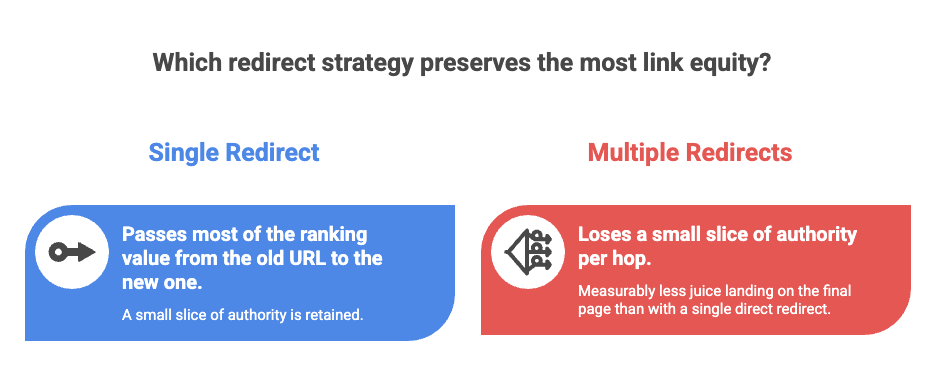
Lost link equity. Every 301 passes most of the ranking value from the old URL to the new one, but not all of it. The exact amount Google passes through is a black box, but the working assumption in the SEO industry is that you lose a small slice of authority per hop. Three or four hops and you have measurably less juice landing on the final page than you would with a single direct redirect. For a page that has earned good backlinks over the years, this is a real loss.
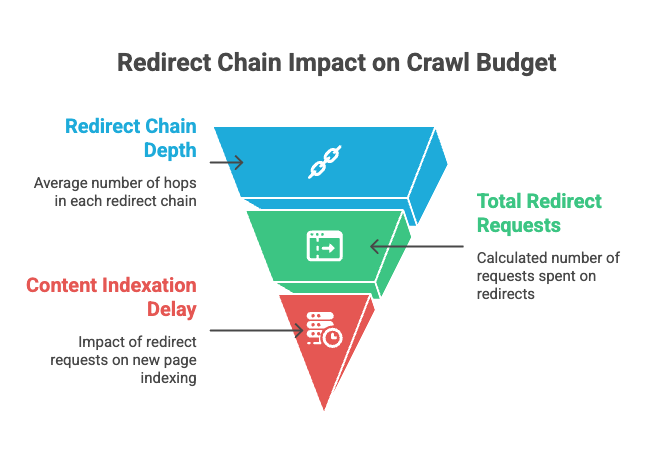
Wasted crawl budget. Googlebot has a limited number of requests it will spend on your site each day. Every redirect hop is a separate request. If your site has 5,000 redirects and the average chain is three hops deep, that is 15,000 requests being burned on hops instead of on actual content. For small sites this does not matter much. For sites with tens or hundreds of thousands of URLs, it slows down indexation of new pages and that is a real cost.
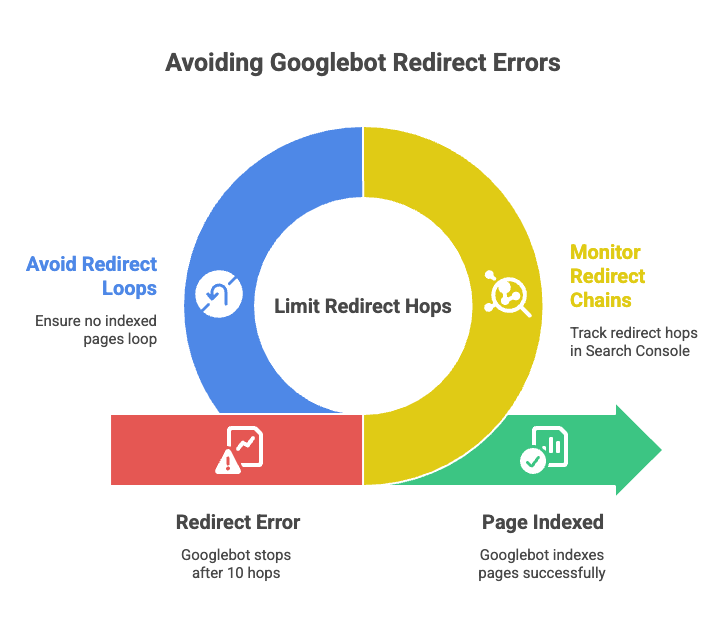
Hard ceiling at ten hops. This is the one most people do not know. Googlebot follows up to 10 redirect hops in a single chain. After that it stops, flags the URL as a redirect error in Search Console, and the page is excluded from indexing. A loop trips this same logic almost instantly. So a loop on any indexed page is, in effect, a delete command for that URL in Google’s index.
You have three good options and one quick option.
The cleanest way is a full crawl with Screaming Frog or Sitebulb. Both tools have a dedicated redirect chains report. You point them at your domain, let them crawl, and they hand you a list of every chain and every loop with the full path each URL takes. Screaming Frog is free up to 500 URLs which is enough for a small site to get a clean look.
The second way is your server logs. If you can grep for 3xx status codes and the destination URLs of those redirects, you can sort by destination and look for any destination that is itself a redirect. That is a chain. It is more work than a crawler but it shows you what is actually happening in production, not what a crawler thinks should happen.
The third way is a redirect mapping audit. Pull every redirect rule from every place they live (CMS, server config, CDN, DNS) into one spreadsheet. Sort by source URL. Flag duplicates. Flag any rule whose destination appears as a source somewhere else. This is the most painful option but it is the only one that catches the rules that are technically active but never get triggered because something else fires first.
The quick option, for spot checking your most important pages, is a browser extension called Redirect Path by Ayima. Install it, visit any URL on your site, and it shows you the full hop sequence in a tiny popup. Takes five seconds. Use it on your top ten landing pages right now.
Fixing a chain is not complicated. If A redirects to B and B redirects to C, you change the A rule to point straight at C and either delete the B rule or leave it in place if other URLs still need it. Repeat for every chain in your audit.
Fixing a loop is trickier because you have to figure out which layer is creating the conflict. The most common culprit is an HTTPS or trailing slash rule at the server level fighting with a page level redirect in the CMS. The fix is to find both rules and remove or rewrite whichever one is wrong. Always test on a staging environment first if you can. Loops have a way of cascading.
The bigger fix, the one that actually keeps the problem from coming back, is process. Pick one place where redirects live. One. If your stack lets you put them all in the CMS, do that. If you need server level rules for protocol normalisation, fine, but document them and never let anyone add a page level rule at the server layer again. Run a Screaming Frog crawl once a quarter. Look at the redirect chains report. Fix what shows up. That is the entire maintenance routine.
A friend who runs SEO for a Bengaluru based ecommerce company found 1,200 chains during a routine audit last year. About 80 of them were deeper than three hops. One was a loop on a discontinued product category page that had been live for nine months and was still getting backlinks from a few comparison blogs. Once they cleaned everything up, organic traffic to product category pages went up about 11 percent over the next two months. That is not a magic number, and it will not be true for every site, but it gives you a sense of how much value gets quietly leaked when nobody is watching.
One. A clean redirect goes from A straight to the final destination. If you want a working number for triage purposes, three hops is when you should care, five hops is when you should fix it today, and ten hops is when Google starts ignoring the URL entirely.
Yes. Chains and loops are about the structure, not the status code. A chain made of 302s wastes the same crawl budget and adds the same latency as a chain made of 301s. The only extra issue with 302s is that they were not meant to be permanent, so leaving them in place for years sends a confusing signal to Google about whether the move is real.
Yes, in two ways. Link equity leaks at every hop, so the final page gets less authority than it should. And the extra latency from each hop hurts your Core Web Vitals scores, which feeds into rankings directly.
The error is what the browser shows when it gives up on a loop. They are the same problem from two angles. The loop is the cause, the error message is the symptom.
Worry less, but still check. Crawl budget is not really an issue at that size, but link equity loss and Core Web Vitals damage still apply. A quarterly Screaming Frog crawl takes ten minutes. Just do it.
Before you add any new redirect, check whether the destination URL is itself already redirected. If it is, point your new rule at the final destination, not the intermediate. That single habit prevents 90 percent of chains.
Redirect hygiene is the kind of work that nobody ever notices when it is done well, and nobody ever forgets when it goes wrong. Go run a crawl this week. You will probably find something.


Let’s be honest. We’ve all been there—sitting with a 45-minute podcast or a YouTube video, wondering how the…

The continuously changing landscape of SEO and PPC makes it hard to have one definite plan or strategy for both,…

If you have been running a WordPress site for a while and there is a lot of outdated and unnecessary stuff on there,…
Don't lose any war! Stay updated with the latest Tools, Tips, and Blog
FreakySEO is all about the list of great tools, tips and tricks to create ideas, strategies and quality content.
Created by Ravi Verma (+91-8076180923)

Leave a Reply